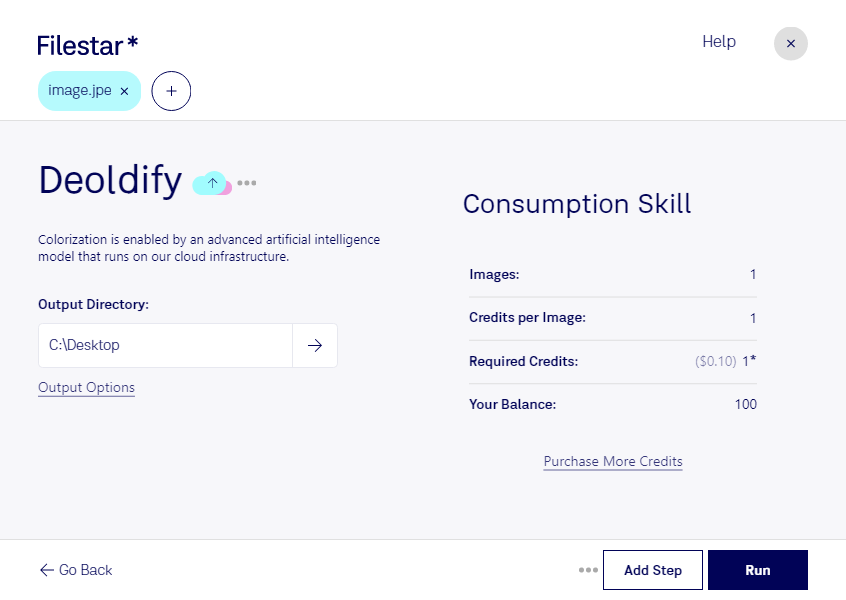
Deoldify jpe

  1. Download and install the latest version of Filestar.

  2. Right click on one or more Jpe file(s) on your desktop and select Convert with Filestar.

  3. Type deoldify in the search box.

  4. Press Run.

Or let an AI agent do it: filestarcli -i photo.jpe -c "deoldify" (how).

deoldify jpe

Let your AI agent deoldify JPE

Claude Code, Codex, Cursor and other agents can do this on your computer with Filestar. Your files stay on your machine.

Install Filestar and add it to your agents:

npm install -g filestar
filestarcli agent install

Then ask your agent:

“Use Filestar to deoldify JPE in my Downloads folder”

Or run it yourself:

filestarcli -i photo.jpe -c "deoldify"

Runs on your computer, so your files stay on it. Works on Windows, macOS and Linux. 50 free conversions with the npm install, no account needed.

Can my AI agent deoldify JPE?

Yes. Install the Filestar CLI with npm install -g filestar and your agent can run filestarcli -i photo.jpe -c "deoldify" on your computer, so your files stay on it.

Using Filestar With AI Agents · Download SKILL.md

What is .jpe?

Extension
.jpe
Format
Binary
Category
Raster Image
Developer
JPEG
Description
It is a JPEG file extension used by Sony digital cameras to save lower resolution images for sending on email. It is saved side by side with the high-quality JPG file.
MIME Type
image/jpeg

Deoldify Jpe Today

Get started within minutes

Have you ever come across an old JPE image that you wished could look brand new? With Deoldify JPE, you can easily convert and enhance your JPE images to give them a fresh, modern look. This powerful software tool allows you to perform bulk/batch operations, saving you time and effort.

Deoldify JPE is a desktop application that runs locally on your computer, ensuring that your files are safe and secure. Unlike cloud-based solutions, you don't need to worry about your images being compromised or hacked. You can trust that your files are in good hands.

This software is perfect for professionals in the photography and graphic design industries. For example, photographers can use Deoldify JPE to restore old family photos, while graphic designers can use it to enhance images for their clients. The possibilities are endless.

Filestar's Deoldify JPE runs on both Windows and OSX, making it accessible to a wide range of users. Whether you're a professional or a hobbyist, this software tool is easy to use and delivers excellent results.

In conclusion, if you're looking for a powerful and secure way to convert and enhance your JPE images, Deoldify JPE is the perfect solution. Try it out today and see the difference it can make to your images.