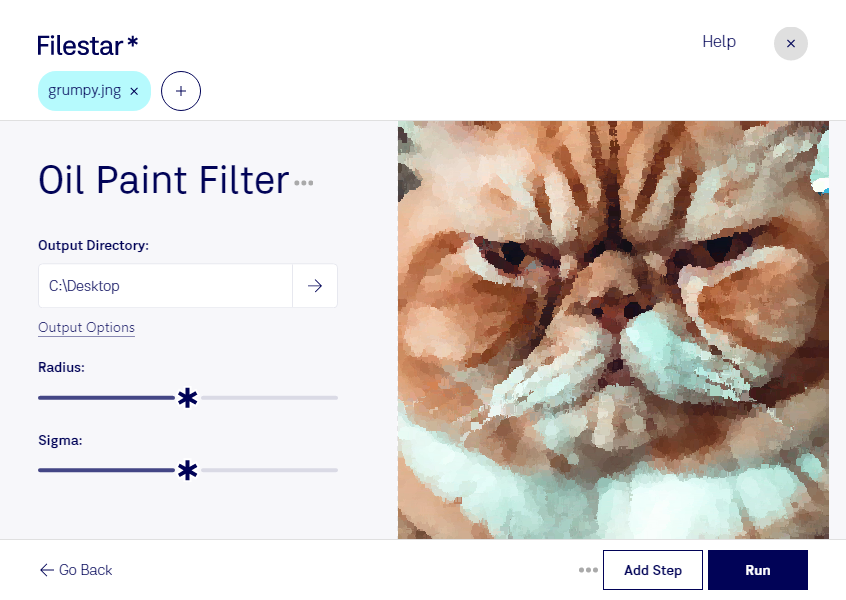
Oil paint jng filter

  1. Download and install the latest version of Filestar.

  2. Right click on one or more Jng file(s) on your desktop and select Convert with Filestar.

  3. Type oil paint filter in the search box.

  4. Press Run.

Or let an AI agent do it: filestarcli -i photo.jng -c "oil paint filter" (how).

oil paint jng filter

Let your AI agent oil paint JNG filter

Claude Code, Codex, Cursor and other agents can do this on your computer with Filestar. Your files stay on your machine.

Install Filestar and add it to your agents:

npm install -g filestar
filestarcli agent install

Then ask your agent:

“Use Filestar to oil paint JNG filter in my Downloads folder”

Or run it yourself:

filestarcli -i photo.jng -c "oil paint filter"

Runs on your computer, so your files stay on it. Works on Windows, macOS and Linux. 50 free conversions with the npm install, no account needed.

Can my AI agent oil paint JNG filter?

Yes. Install the Filestar CLI with npm install -g filestar and your agent can run filestarcli -i photo.jng -c "oil paint filter" on your computer, so your files stay on it.

Using Filestar With AI Agents · Download SKILL.md

What is .jng?

Extension
.jng
Format
Binary
Category
Raster Image
Developer
Mozilla Corporation
Description
Image file format related to the .PNG format, but uses lossy compression like standard .JPG files; developed as a sub-format for .MNG objects, but can also be used as a standalone raster image format.
MIME Type
image/x-jng

Oil Paint Jng Filter Today

Get started within minutes

Oil Paint JNG Filter

Transform your JNG images into beautiful oil paintings with Filestar's Oil Paint JNG filter. This powerful software allows you to convert your JNG files to oil paintings in bulk, saving you time and effort. Whether you're a professional photographer, artist, or graphic designer, this filter can take your work to the next level.

Filestar runs on both Windows and OSX, so you can use it on your preferred operating system. No need to worry about internet connection or uploading your files to the cloud. With Filestar, you can process your files locally, ensuring their safety and security.

Oil Paint JNG filter is perfect for professional artists, photographers, and designers who want to add a unique touch to their work. With just a few clicks, you can transform your JNG images into stunning oil paintings that will impress your clients and audience.

Converting and processing your files locally on your computer is much safer than using cloud-based services. With Filestar, you can rest assured that your files are not being uploaded to the internet, protecting your privacy and data. Plus, you can work offline and avoid any potential internet connection issues.

In conclusion, if you're looking to convert your JNG images to oil paintings, Filestar's Oil Paint JNG filter is the perfect solution. With its bulk conversion capabilities, local processing, and cross-platform compatibility, it's a must-have tool for any professional artist, photographer, or designer. Try it out today and take your work to the next level.