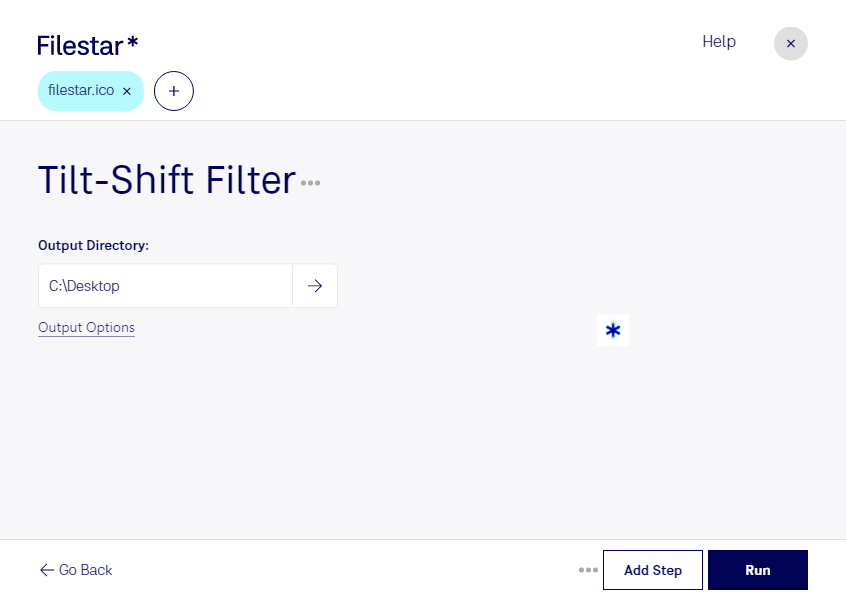
Tilt-shift ico filter

  1. Download and install the latest version of Filestar.

  2. Right click on one or more Ico file(s) on your desktop and select Convert with Filestar.

  3. Type tilt-shift filter in the search box.

  4. Press Run.

Or let an AI agent do it: filestarcli -i photo.ico -c "tilt-shift filter" (how).

tilt-shift ico filter

Let your AI agent tilt-shift ICO filter

Claude Code, Codex, Cursor and other agents can do this on your computer with Filestar. Your files stay on your machine.

Install Filestar and add it to your agents:

npm install -g filestar
filestarcli agent install

Then ask your agent:

“Use Filestar to tilt-shift ICO filter in my Downloads folder”

Or run it yourself:

filestarcli -i photo.ico -c "tilt-shift filter"

Runs on your computer, so your files stay on it. Works on Windows, macOS and Linux. 50 free conversions with the npm install, no account needed.

Can my AI agent tilt-shift ICO filter?

Yes. Install the Filestar CLI with npm install -g filestar and your agent can run filestarcli -i photo.ico -c "tilt-shift filter" on your computer, so your files stay on it.

Using Filestar With AI Agents · Download SKILL.md

What is .ico?

Extension
.ico
Format
Binary
Category
Raster Image
Developer
Microsoft
Description
An ICO file is an image format used to store icons for Windows programs, files, and folders. It contains two bitmaps: 1) the AND bitmap - the image mask (which determines what part of the icon is transparent) and 2) the XOR bitmap - contains the icon which is mapped onto the image mask. ICO files can be modified to create custom icons.
MIME Type
image/x-icon

Tilt-Shift Ico Filter Today

Get started within minutes

Are you looking to enhance your Windows Icon files with a professional touch? Look no further than Filestar's Tilt-Shift ICO Filter. Our software allows for bulk/batch conversions and operations, making it easy to transform multiple files at once.

Filestar runs on both Windows and OSX, ensuring that all users can take advantage of our powerful software. With our Tilt-Shift ICO Filter, you can add a unique perspective to your Windows Icon files, making them stand out from the crowd.

But in what professional settings might the Tilt-Shift ICO Filter be useful? For photographers, graphic designers, and web developers, this filter can be a game-changer. By simulating a miniature scene, you can add depth and dimension to your images, making them more visually appealing.

And with Filestar, you can rest assured that your conversions and processing are done locally on your computer, rather than in the cloud. This means that your files are more secure and less susceptible to cyber threats.

In conclusion, if you're looking for a safe and efficient way to convert and process your Windows Icon files, look no further than Filestar's Tilt-Shift ICO Filter. Try it out today and take your images to the next level.