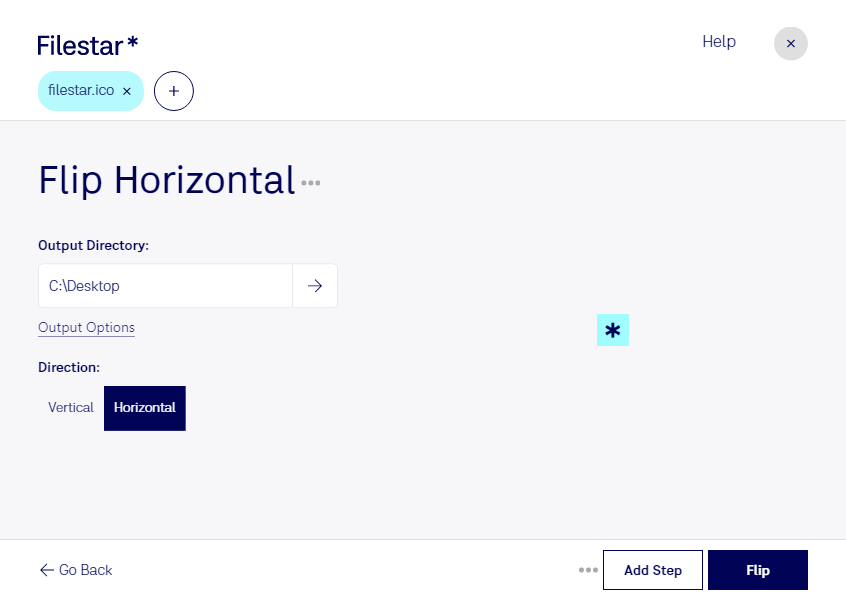
Flip ico horizontal

  1. Download and install the latest version of Filestar.

  2. Right click on one or more Ico file(s) on your desktop and select Convert with Filestar.

  3. Type flip horizontal in the search box.

  4. Press Flip.

Or let an AI agent do it: filestarcli -i photo.ico -c "flip horizontal" (how).

flip ico horizontal

Let your AI agent flip ICO horizontal

Claude Code, Codex, Cursor and other agents can do this on your computer with Filestar. Your files stay on your machine.

Install Filestar and add it to your agents:

npm install -g filestar
filestarcli agent install

Then ask your agent:

“Use Filestar to flip ICO horizontal in my Downloads folder”

Or run it yourself:

filestarcli -i photo.ico -c "flip horizontal"

Runs on your computer, so your files stay on it. Works on Windows, macOS and Linux. 50 free conversions with the npm install, no account needed.

Can my AI agent flip ICO horizontal?

Yes. Install the Filestar CLI with npm install -g filestar and your agent can run filestarcli -i photo.ico -c "flip horizontal" on your computer, so your files stay on it.

Using Filestar With AI Agents · Download SKILL.md

What is .ico?

Extension
.ico
Format
Binary
Category
Raster Image
Developer
Microsoft
Description
An ICO file is an image format used to store icons for Windows programs, files, and folders. It contains two bitmaps: 1) the AND bitmap - the image mask (which determines what part of the icon is transparent) and 2) the XOR bitmap - contains the icon which is mapped onto the image mask. ICO files can be modified to create custom icons.
MIME Type
image/x-icon

Flip Ico Horizontal Today

Get started within minutes

Flip ICO Horizontal is a powerful feature in Filestar's file conversion and processing software that allows users to convert and process Windows Icon files quickly and easily. With the ability to perform bulk or batch operations, users can save time and increase productivity.

Whether you're a graphic designer, web developer, or simply someone who works with Windows Icon files, Flip ICO Horizontal can be an invaluable tool in your workflow. For example, graphic designers can use this feature to flip icons horizontally to create mirror images or to create unique designs. Web developers can use it to improve the user experience by flipping icons to match the layout of their website.

One of the great benefits of using Filestar is that it runs on both Windows and OSX, making it accessible to a wide range of users. Plus, by converting and processing files locally on your computer, you can ensure added safety and security compared to using an online converter.

In addition to Flip ICO Horizontal, Filestar offers a variety of other features for converting and processing files, including image resizing, PDF conversion, and audio and video editing. With a user-friendly interface and a wide range of supported file types, Filestar is a versatile tool for anyone who works with digital files.

Don't let file conversions slow you down. Try Filestar's Flip ICO Horizontal feature today and see how it can improve your workflow.