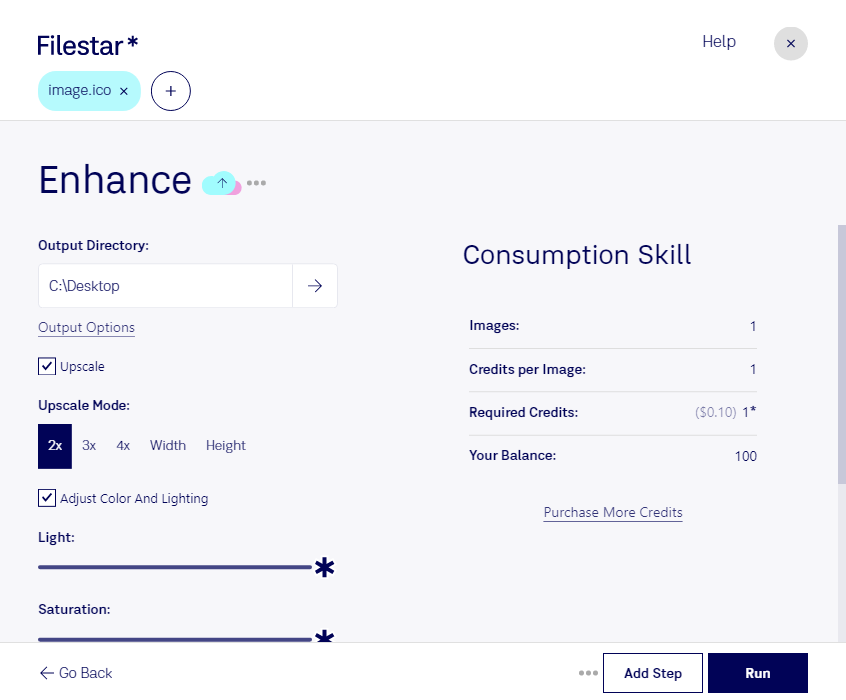
Enhance ico

  1. Download and install the latest version of Filestar.

  2. Right click on one or more Ico file(s) on your desktop and select Convert with Filestar.

  3. Type enhance in the search box.

  4. Press Run.

  5. Or let an AI agent do it: filestarcli -i photo.ico -c "enhance" (how).

enhance ico

Let your AI agent enhance ICO

Claude Code, Codex, Cursor and other agents can do this on your computer with Filestar. Your files stay on your machine.

Install Filestar and add it to your agents:

npm install -g filestar
filestarcli agent install

Then ask your agent:

“Use Filestar to enhance ICO in my Downloads folder”

Or run it yourself:

filestarcli -i photo.ico -c "enhance"

Runs on your computer, so your files stay on it. Works on Windows, macOS and Linux. 50 free conversions with the npm install, no account needed.

Can my AI agent enhance ICO?

Yes. Install the Filestar CLI with npm install -g filestar and your agent can run filestarcli -i photo.ico -c "enhance" on your computer, so your files stay on it.

Using Filestar With AI Agents → · Download SKILL.md

What is .ico?

Extension
.ico
Format
Binary
Category
Raster Image
Developer
Microsoft
Description
An ICO file is an image format used to store icons for Windows programs, files, and folders. It contains two bitmaps: 1) the AND bitmap - the image mask (which determines what part of the icon is transparent) and 2) the XOR bitmap - contains the icon which is mapped onto the image mask. ICO files can be modified to create custom icons.
MIME Type
image/x-icon

Enhance Ico Today

Get started within minutes

Enhance ICO File Conversion and Processing with Filestar

Filestar is a desktop software that allows you to convert and process Windows Icon Files (ICO) in bulk. With Filestar, you can easily convert ICO files to other raster image file formats, such as PNG or JPEG, or convert other image files to ICO format.

Filestar runs on both Windows and OSX, making it a versatile tool for professionals in various industries. Architects and graphic designers can use Filestar to convert images to ICO format to create custom icons for their software or website. Developers can use Filestar to convert ICO files to other image formats for use in their applications.

One of the benefits of using Filestar is the ability to perform bulk or batch operations. This means you can convert or process multiple ICO files at once, saving you time and effort.

Another benefit of using Filestar is that all conversions and processing are done locally on your computer. This means that your files are not uploaded to the cloud, making it a safer option for professionals who deal with sensitive information.

In conclusion, if you are looking for a safe and efficient way to convert and process ICO files, Filestar is the desktop software for you. With its bulk processing capabilities and local file conversion, it is the perfect tool for professionals in various industries. Try Filestar today and enhance your ICO file conversion and processing experience.