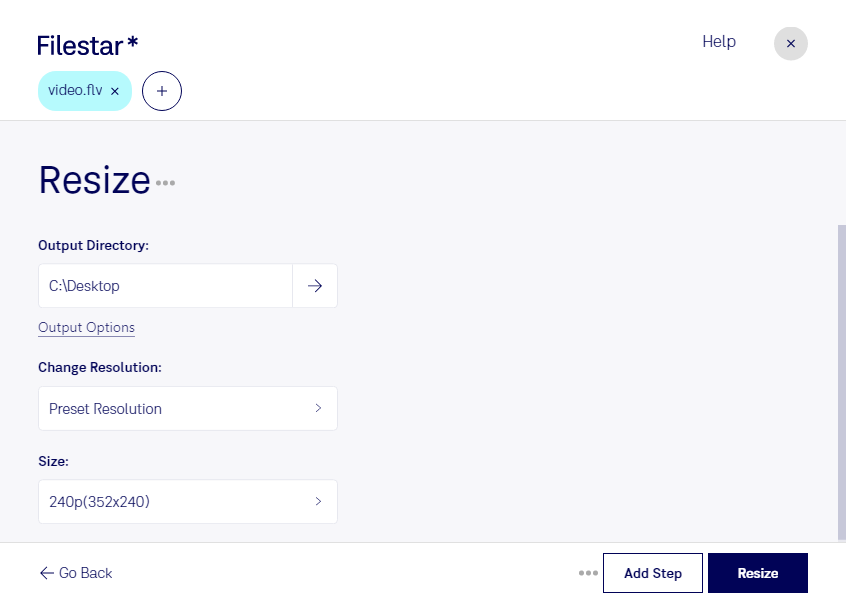
Resize flv

  1. Download and install the latest version of Filestar.

  2. Right click on one or more Flv file(s) on your desktop and select Convert with Filestar.

  3. Type resize in the search box.

  4. Press Resize.

Or let an AI agent do it: filestarcli -i file.flv -c "resize" (how).

resize flv

Let your AI agent resize FLV

Claude Code, Codex, Cursor and other agents can do this on your computer with Filestar. Your files stay on your machine.

Install Filestar and add it to your agents:

npm install -g filestar
filestarcli agent install

Then ask your agent:

“Use Filestar to resize FLV in my Downloads folder”

Or run it yourself:

filestarcli -i file.flv -c "resize"

Runs on your computer, so your files stay on it. Works on Windows, macOS and Linux. 50 free conversions with the npm install, no account needed.

Can my AI agent resize FLV?

Yes. Install the Filestar CLI with npm install -g filestar and your agent can run filestarcli -i file.flv -c "resize" on your computer, so your files stay on it.

Using Filestar With AI Agents · Download SKILL.md

What is .flv?

Extension
.flv
Format
Binary
Category
Video
Developer
Adobe Systems
Description
An FLV file is a flash-compatible video file exported by the Flash Video Exporter plug-in (included with Adobe Animate) or other program with FLV file support. It consists of a short header, interleaved audio, video, and metadata packets. The file stores audio and video data in a similar format used by standard Flash (.SWF) files.
MIME Type
video/x-flv

Resize Flv Today

Get started within minutes

Are you tired of struggling with oversized FLV files? Look no further than Filestar's FLV resizing feature. Our software allows for quick and easy resizing of FLV files, making it perfect for professionals in video editing, marketing, and more.

One of the standout features of Filestar is its ability to perform bulk/batch conversion and operations, saving you time and effort. And with Filestar running on both Windows and OSX, you can resize FLV files no matter your operating system.

But why convert or process locally on your computer instead of in the cloud? The answer is simple: added security. By keeping your files on your own computer, you have greater control over who can access them and how they are processed. This is especially important for professionals who work with sensitive or confidential information.

Whether you're a video editor looking to optimize your workflow, a marketer trying to reduce load times on your website, or anyone else in need of FLV resizing, Filestar has you covered. Try it out today and see the difference for yourself.

Remember, Filestar is not an online converter, so you don't have to worry about internet connection issues. Get in touch with us to learn more about our FLV resizing feature and how it can benefit you.