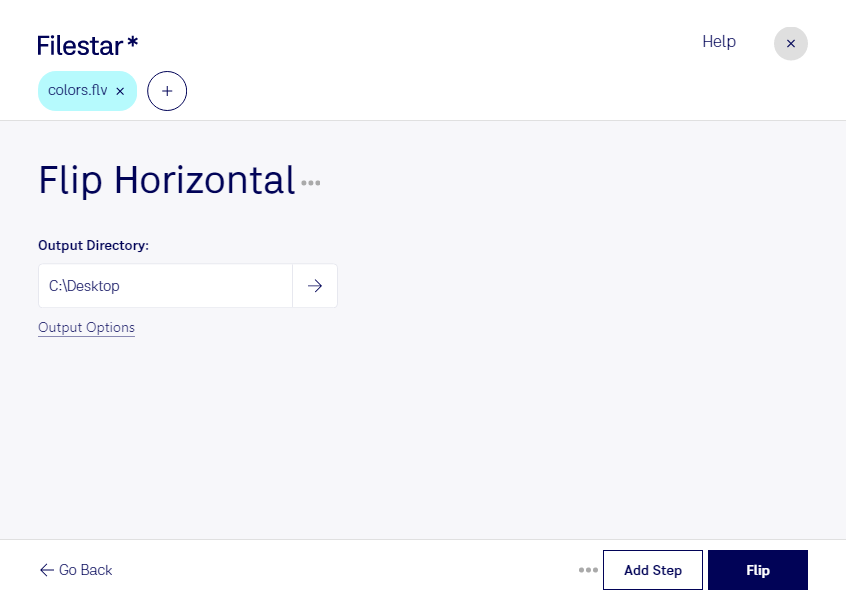
Flip flv horizontal

  1. Download and install the latest version of Filestar.

  2. Right click on one or more Flv file(s) on your desktop and select Convert with Filestar.

  3. Type flip horizontal in the search box.

  4. Press Flip.

Or let an AI agent do it: filestarcli -i file.flv -c "flip horizontal" (how).

flip flv horizontal

Let your AI agent flip FLV horizontal

Claude Code, Codex, Cursor and other agents can do this on your computer with Filestar. Your files stay on your machine.

Install Filestar and add it to your agents:

npm install -g filestar
filestarcli agent install

Then ask your agent:

“Use Filestar to flip FLV horizontal in my Downloads folder”

Or run it yourself:

filestarcli -i file.flv -c "flip horizontal"

Runs on your computer, so your files stay on it. Works on Windows, macOS and Linux. 50 free conversions with the npm install, no account needed.

Can my AI agent flip FLV horizontal?

Yes. Install the Filestar CLI with npm install -g filestar and your agent can run filestarcli -i file.flv -c "flip horizontal" on your computer, so your files stay on it.

Using Filestar With AI Agents · Download SKILL.md

What is .flv?

Extension
.flv
Format
Binary
Category
Video
Developer
Adobe Systems
Description
An FLV file is a flash-compatible video file exported by the Flash Video Exporter plug-in (included with Adobe Animate) or other program with FLV file support. It consists of a short header, interleaved audio, video, and metadata packets. The file stores audio and video data in a similar format used by standard Flash (.SWF) files.
MIME Type
video/x-flv

Flip Flv Horizontal Today

Get started within minutes

Flip FLV Horizontal is a powerful feature of Filestar's file conversion and processing software. It allows users to flip FLV videos horizontally in bulk, saving time and effort. With Filestar, users can convert and process their files locally on their computer, ensuring the highest level of safety and privacy.

Filestar runs on both Windows and OSX, making it accessible to a wide range of users. Professionals who work with video content, such as filmmakers, video editors, and animators, will find Flip FLV Horizontal to be a useful tool in their workflow. For example, a filmmaker might use Flip FLV Horizontal to flip a scene horizontally to create a mirror effect.

One of the benefits of using Filestar is that all conversions and operations are done locally on the user's computer. This means that sensitive files are not uploaded to the cloud, reducing the risk of data breaches and ensuring maximum privacy. Additionally, performing conversions and operations locally can be faster and more reliable than using an online converter.

In conclusion, Flip FLV Horizontal is a valuable tool for anyone who needs to flip FLV videos horizontally. With Filestar, users can perform bulk conversions and operations locally on their computer, ensuring the highest level of safety and privacy. Try Flip FLV Horizontal today and see how it can improve your workflow.