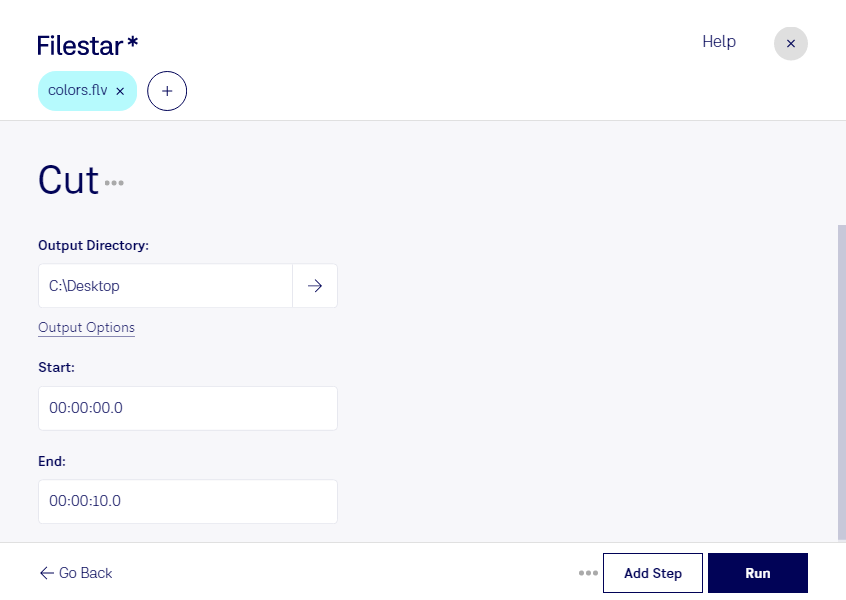
Cut flv

  1. Download and install the latest version of Filestar.

  2. Right click on one or more Flv file(s) on your desktop and select Convert with Filestar.

  3. Type cut in the search box.

  4. Press Run.

Or let an AI agent do it: filestarcli -i file.flv -c "cut" (how).

cut flv

Let your AI agent cut FLV

Claude Code, Codex, Cursor and other agents can do this on your computer with Filestar. Your files stay on your machine.

Install Filestar and add it to your agents:

npm install -g filestar
filestarcli agent install

Then ask your agent:

“Use Filestar to cut FLV in my Downloads folder”

Or run it yourself:

filestarcli -i file.flv -c "cut"

Runs on your computer, so your files stay on it. Works on Windows, macOS and Linux. 50 free conversions with the npm install, no account needed.

Can my AI agent cut FLV?

Yes. Install the Filestar CLI with npm install -g filestar and your agent can run filestarcli -i file.flv -c "cut" on your computer, so your files stay on it.

Using Filestar With AI Agents · Download SKILL.md

What is .flv?

Extension
.flv
Format
Binary
Category
Video
Developer
Adobe Systems
Description
An FLV file is a flash-compatible video file exported by the Flash Video Exporter plug-in (included with Adobe Animate) or other program with FLV file support. It consists of a short header, interleaved audio, video, and metadata packets. The file stores audio and video data in a similar format used by standard Flash (.SWF) files.
MIME Type
video/x-flv

Cut Flv Today

Get started within minutes

Cut FLV Video Files Quickly and Easily with Filestar

Filestar's cutting-edge software allows for quick and easy cutting of FLV video files. With bulk/batch conversion and operation capabilities, this software is perfect for professionals who need to edit multiple videos at once.

Whether you're a content creator, marketer, or social media manager, Filestar's cut FLV feature can help you streamline your video editing process. Cut out unwanted sections, add transitions, and create a polished final product in no time.

One of the best things about Filestar is that it runs on both Windows and OSX, making it accessible to a wide range of users. Plus, since the software converts and processes files locally on your computer, it's much safer than using cloud-based services.

So, if you're looking for a reliable and efficient way to cut FLV video files, look no further than Filestar. Try it out today and see how it can transform your video editing workflow.