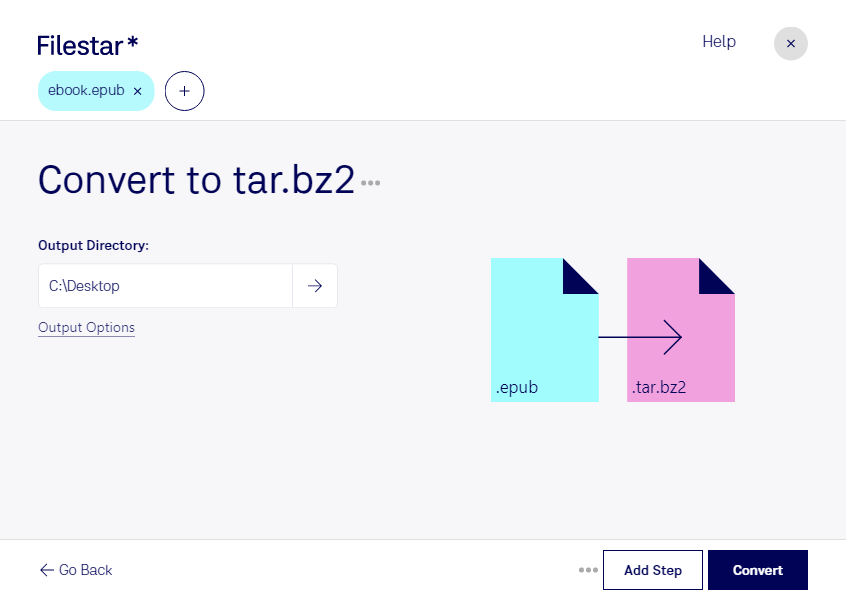
Convert epub to tar.bz2

  1. Download and install the latest version of Filestar.

  2. Right click on one or more Epub file(s) on your desktop and select Convert with Filestar.

  3. Type convert to tar.bz2 in the search box.

  4. Press Convert.

  5. Or let an AI agent do it: filestarcli -i file.epub -c "convert to tar.bz2" (how).

convert epub to tar.bz2

Let your AI agent convert EPUB to TAR.BZ2

Claude Code, Codex, Cursor and other agents can do this on your computer with Filestar. Your files stay on your machine.

Install Filestar and add it to your agents:

npm install -g filestar
filestarcli agent install

Then ask your agent:

“Convert the EPUB files in my Downloads folder to TAR.BZ2”

Or run it yourself:

filestarcli -i file.epub -c "convert to tar.bz2"

Runs on your computer, so your files stay on it. Works on Windows, macOS and Linux. 50 free conversions with the npm install, no account needed.

Can my AI agent convert EPUB to TAR.BZ2?

Yes. Install the Filestar CLI with npm install -g filestar and your agent can run filestarcli -i file.epub -c "convert to tar.bz2" on your computer, so your files stay on it.

Using Filestar With AI Agents → · Download SKILL.md

What is the difference between .epub and .tar.bz2?

Extension
.epub
.tar.bz2
Format
Binary
Binary
Category
Ebook
Compressed
Developer
IDPF
The GNU Project
Description
An EPUB file is a digital ebook saved in the EPUB format, an open XML-based format for digital books and publications. It provides a standard digital publication format for publishers and consumers. EPUB files can be viewed with supporting software programs and hardware devices, such as the Sony Reader and Barnes & Noble Nook.
It is a TAR archive file compressed using BZ2 compression codec and is popularly used to distribute Linux application packages.
MIME Type
application/epub+zip
application/x-bzip-compressed-tar

Convert Epub To Tar.bz2 Today

Get started within minutes

Are you a professional in need of converting EPUB files to TAR.BZ2? Look no further than Filestar file conversion software. Our software allows for bulk/batch conversion operations, making it easy to convert multiple EPUB files to TAR.BZ2 at once.

Filestar runs on both Windows and OSX, so no matter what operating system you use, you can be confident that our software will work for you. Plus, because our software is not an online converter, you can rest assured that your files are safe and secure on your local computer.

But why might you need to convert EPUB to TAR.BZ2 in the first place? Well, TAR.BZ2 files are often used for backup purposes or for archiving large amounts of data. By converting your EPUB files to TAR.BZ2, you can easily store or transfer them in a compressed format, saving you time and storage space.

Professionals in a variety of fields can benefit from converting EPUB to TAR.BZ2. For example, authors or publishers who need to store large amounts of eBooks may find TAR.BZ2 files to be a more efficient storage solution. Additionally, IT professionals who need to backup or transfer large amounts of data may also find TAR.BZ2 files to be useful.

So why choose Filestar for your EPUB to TAR.BZ2 conversion needs? Our software is easy to use, safe, and efficient. Plus, with the ability to perform bulk/batch operations, you can save time and streamline your workflow. Don't waste any more time searching for a reliable EPUB to TAR.BZ2 converter - try Filestar today.