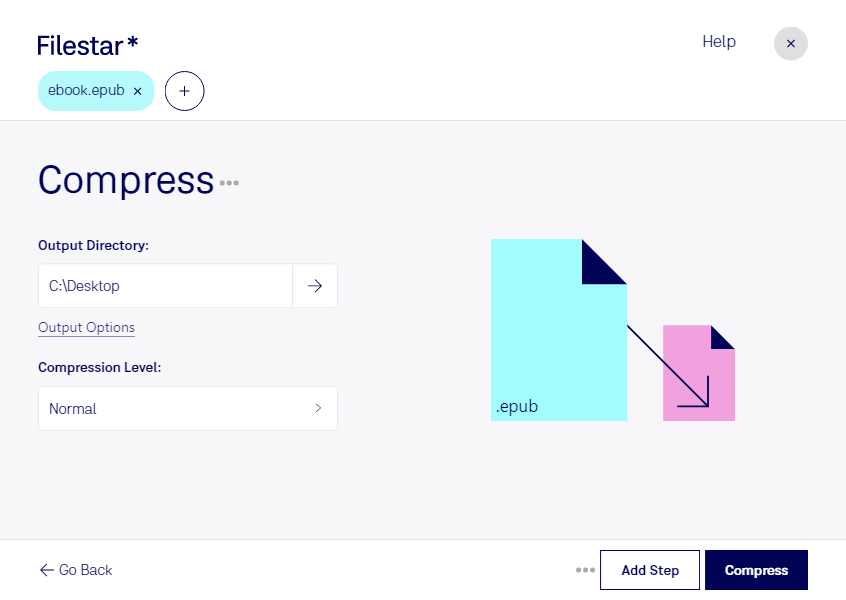
Compress epub

  1. Download and install the latest version of Filestar.

  2. Right click on one or more Epub file(s) on your desktop and select Convert with Filestar.

  3. Type compress in the search box.

  4. Press Compress.

  5. Or let an AI agent do it: filestarcli -i file.epub -c "compress" (how).

compress epub

Let your AI agent compress EPUB

Claude Code, Codex, Cursor and other agents can do this on your computer with Filestar. Your files stay on your machine.

Install Filestar and add it to your agents:

npm install -g filestar
filestarcli agent install

Then ask your agent:

“Use Filestar to compress EPUB in my Downloads folder”

Or run it yourself:

filestarcli -i file.epub -c "compress"

Runs on your computer, so your files stay on it. Works on Windows, macOS and Linux. 50 free conversions with the npm install, no account needed.

Can my AI agent compress EPUB?

Yes. Install the Filestar CLI with npm install -g filestar and your agent can run filestarcli -i file.epub -c "compress" on your computer, so your files stay on it.

Using Filestar With AI Agents →

What is .epub?

Extension
.epub
Format
Binary
Category
Ebook
Developer
IDPF
Description
An EPUB file is a digital ebook saved in the EPUB format, an open XML-based format for digital books and publications. It provides a standard digital publication format for publishers and consumers. EPUB files can be viewed with supporting software programs and hardware devices, such as the Sony Reader and Barnes & Noble Nook.
MIME Type
application/epub+zip

Compress Epub Today

Get started within minutes

Compress Epub

Compressing epub files has never been easier with Filestar's file conversion software. Whether you need to compress a single file or a batch of files, Filestar can handle the job quickly and securely.

With Filestar, you can convert and process files locally on your Windows or OSX computer. This means that you don't have to worry about the security of your files when processing them in the cloud.

Professionals in the publishing industry can benefit greatly from compressing epub files. For example, an ebook publisher may need to compress a large number of epub files to make them more manageable for distribution. Similarly, an author may need to compress their ebook files to reduce the file size for easier emailing or sharing.

Filestar's software allows for bulk/batch conversion/operations, so you can compress multiple epub files at once, saving you time and effort. Additionally, the software supports a wide range of file types, so you can convert and process files in various formats.

In conclusion, if you need to compress epub files quickly and securely, Filestar's file conversion software is the perfect solution. With the ability to process files locally on your computer, you can rest assured that your files are safe and secure. Try Filestar today and see how easy it is to compress your epub files.