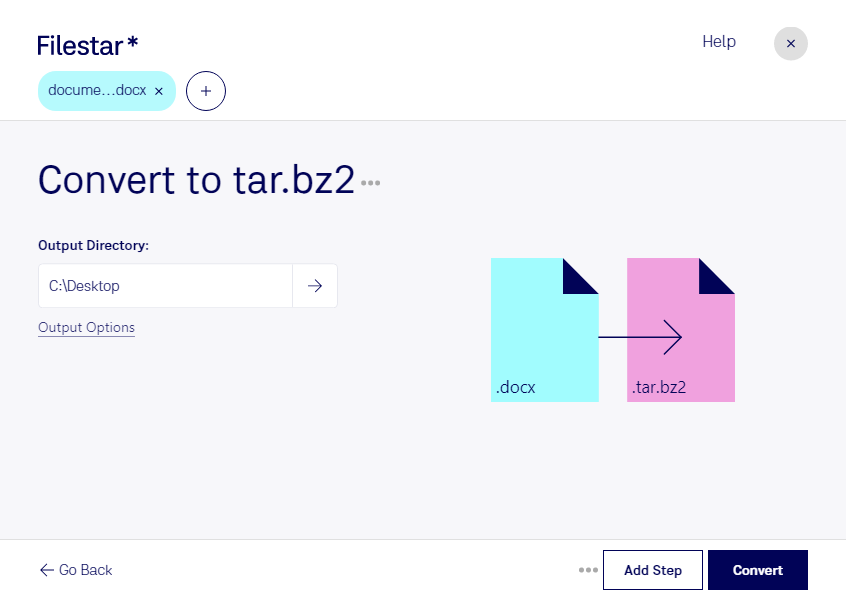
Convert docx to tar.bz2

  1. Download and install the latest version of Filestar.

  2. Right click on one or more Docx file(s) on your desktop and select Convert with Filestar.

  3. Type convert to tar.bz2 in the search box.

  4. Press Convert.

Or let an AI agent do it: filestarcli -i file.docx -c "convert to tar.bz2" (how).

convert docx to tar.bz2

Let your AI agent convert DOCX to TAR.BZ2

Claude Code, Codex, Cursor and other agents can do this on your computer with Filestar. Your files stay on your machine.

Install Filestar and add it to your agents:

npm install -g filestar
filestarcli agent install

Then ask your agent:

“Convert the DOCX files in my Downloads folder to TAR.BZ2”

Or run it yourself:

filestarcli -i file.docx -c "convert to tar.bz2"

Runs on your computer, so your files stay on it. Works on Windows, macOS and Linux. 50 free conversions with the npm install, no account needed.

Can my AI agent convert DOCX to TAR.BZ2?

Yes. Install the Filestar CLI with npm install -g filestar and your agent can run filestarcli -i file.docx -c "convert to tar.bz2" on your computer, so your files stay on it.

Using Filestar With AI Agents · Download SKILL.md

What is the difference between .docx and .tar.bz2?

Extension
.docx
.tar.bz2
Format
Binary
Binary
Category
Document
Compressed
Developer
Microsoft
The GNU Project
Description
A DOCX file is a document created by Microsoft Word or another word processing program, such as OpenOffice Writer or Apple Pages. It contains formatted text but may also include images, drawn objects, and other document elements. DOCX files are widely used in home, academic, and business environments for drafting letters, resumes, invitations, newsletters, and other documents.
It is a TAR archive file compressed using BZ2 compression codec and is popularly used to distribute Linux application packages.
MIME Type
application/vnd.openxmlformats-officedocument.wordprocessingml.document
application/x-bzip-compressed-tar

Convert Docx To Tar.bz2 Today

Get started within minutes

Are you a professional who needs to convert DOCX files to TAR.BZ2 format? Look no further than Filestar. Our file conversion software allows you to easily and securely convert your DOCX files to TAR.BZ2 format in just a few clicks.

With Filestar, you can convert your files in bulk, saving you time and effort. Our software runs locally on your Windows or OSX computer, ensuring that your files are processed safely and securely. You don't need to worry about your sensitive documents being processed in the cloud.

Converting DOCX to TAR.BZ2 can be useful in a variety of professional settings. For example, if you work in the data archiving industry, you may need to convert large amounts of Word documents to TAR.BZ2 format for long-term storage. Or, if you work in IT, you may need to convert files to TAR.BZ2 format for backup purposes.

No matter your profession, Filestar makes it easy to convert your files to the format you need. Our intuitive interface and powerful conversion engine make the process fast and seamless.

So why wait? Try Filestar today and discover how easy it is to convert DOCX files to TAR.BZ2 format.