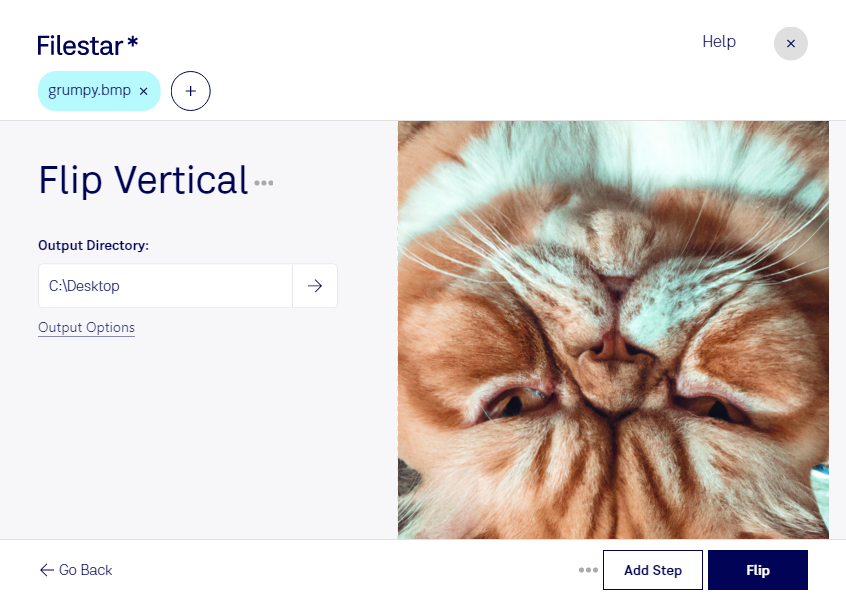
Flip bmp vertical

  1. Download and install the latest version of Filestar.

  2. Right click on one or more Bmp file(s) on your desktop and select Convert with Filestar.

  3. Type flip vertical in the search box.

  4. Press Flip.

Or let an AI agent do it: filestarcli -i photo.bmp -c "flip vertical" (how).

flip bmp vertical

Let your AI agent flip BMP vertical

Claude Code, Codex, Cursor and other agents can do this on your computer with Filestar. Your files stay on your machine.

Install Filestar and add it to your agents:

npm install -g filestar
filestarcli agent install

Then ask your agent:

“Use Filestar to flip BMP vertical in my Downloads folder”

Or run it yourself:

filestarcli -i photo.bmp -c "flip vertical"

Runs on your computer, so your files stay on it. Works on Windows, macOS and Linux. 50 free conversions with the npm install, no account needed.

Can my AI agent flip BMP vertical?

Yes. Install the Filestar CLI with npm install -g filestar and your agent can run filestarcli -i photo.bmp -c "flip vertical" on your computer, so your files stay on it.

Using Filestar With AI Agents · Download SKILL.md

What is .bmp?

Extension
.bmp
Format
Binary
Category
Raster Image
Developer
Microsoft
Description
A BMP file is an uncompressed raster image comprised of a rectangular grid of pixels. It contains a file header (bitmap identifier, file size, width, height, color options, and bitmap data starting point) and bitmap pixels, each with a different color.
MIME Type
image/bmp

Flip Bmp Vertical Today

Get started within minutes

Are you a professional who regularly works with bitmap images? Then our flip BMP vertical feature is a must-have for your toolkit. With Filestar, you can quickly and easily flip your BMP images vertically in bulk, saving you time and effort.

Our software allows for bulk operations, so you can process multiple files at once, making it perfect for busy professionals who need to work efficiently. And with the ability to run on both Windows and OSX, you can use Filestar no matter what platform you prefer.

The flip BMP vertical feature is particularly useful for professionals who work with BMP images in industries such as graphic design, photography, and printing. For example, if you're designing a brochure or flyer and need to flip an image to fit the layout, our feature will make the process quick and easy.

One of the benefits of using Filestar is that all conversions and operations are done locally on your computer, rather than in the cloud. This means that your files are kept safe and secure, and you don't have to worry about any potential security risks associated with online converters.

In conclusion, if you're looking for a reliable and efficient way to flip BMP images vertically in bulk, look no further than Filestar. Try it out today and see how it can streamline your workflow and save you time and effort. Don't hesitate to reach out to us if you have any questions or need assistance.