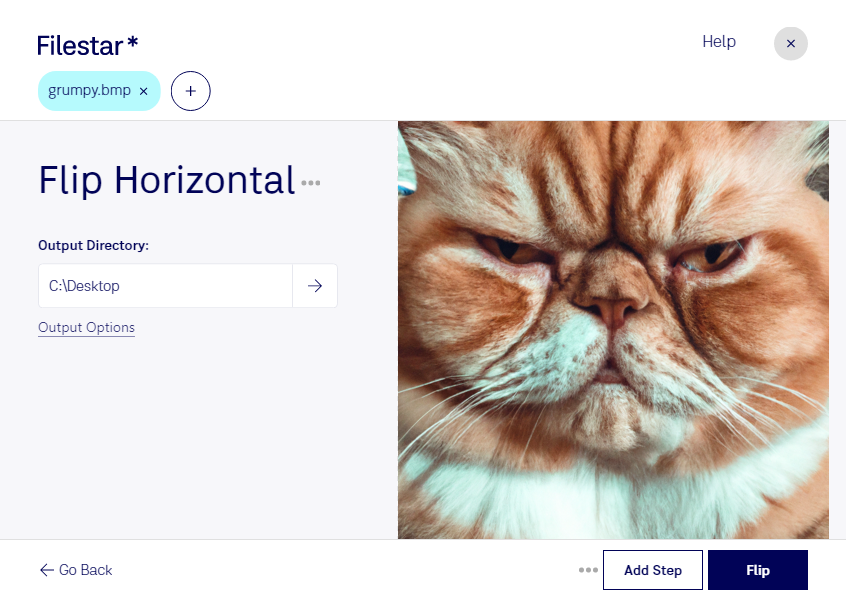
Flip bmp horizontal

  1. Download and install the latest version of Filestar.

  2. Right click on one or more Bmp file(s) on your desktop and select Convert with Filestar.

  3. Type flip horizontal in the search box.

  4. Press Flip.

Or let an AI agent do it: filestarcli -i photo.bmp -c "flip horizontal" (how).

flip bmp horizontal

Let your AI agent flip BMP horizontal

Claude Code, Codex, Cursor and other agents can do this on your computer with Filestar. Your files stay on your machine.

Install Filestar and add it to your agents:

npm install -g filestar
filestarcli agent install

Then ask your agent:

“Use Filestar to flip BMP horizontal in my Downloads folder”

Or run it yourself:

filestarcli -i photo.bmp -c "flip horizontal"

Runs on your computer, so your files stay on it. Works on Windows, macOS and Linux. 50 free conversions with the npm install, no account needed.

Can my AI agent flip BMP horizontal?

Yes. Install the Filestar CLI with npm install -g filestar and your agent can run filestarcli -i photo.bmp -c "flip horizontal" on your computer, so your files stay on it.

Using Filestar With AI Agents · Download SKILL.md

What is .bmp?

Extension
.bmp
Format
Binary
Category
Raster Image
Developer
Microsoft
Description
A BMP file is an uncompressed raster image comprised of a rectangular grid of pixels. It contains a file header (bitmap identifier, file size, width, height, color options, and bitmap data starting point) and bitmap pixels, each with a different color.
MIME Type
image/bmp

Flip Bmp Horizontal Today

Get started within minutes

Are you tired of flipping your BMP images one by one? With Filestar, you can flip BMP horizontal in bulk, saving you time and effort. Our software is designed to handle batch operations, allowing you to process multiple files at once.

Filestar runs on both Windows and OSX, making it accessible to a wide range of professionals. For graphic designers, flipping BMP images horizontally can come in handy when creating logos or other design elements. Architects and engineers may find it useful when working with floor plans or blueprints.

One of the benefits of using Filestar is that you can convert and process your files locally on your computer, rather than relying on cloud-based solutions. This adds an extra layer of security to your data, ensuring that your files are not compromised during the conversion process.

In addition to flipping BMP images horizontally, Filestar offers a variety of other features for BMP files, including resizing, cropping, and converting to other file formats. With our user-friendly interface, you can easily navigate through the software and customize your conversions to meet your specific needs.

Don't waste any more time flipping your BMP images one by one. Try Filestar today and experience the convenience of bulk processing.