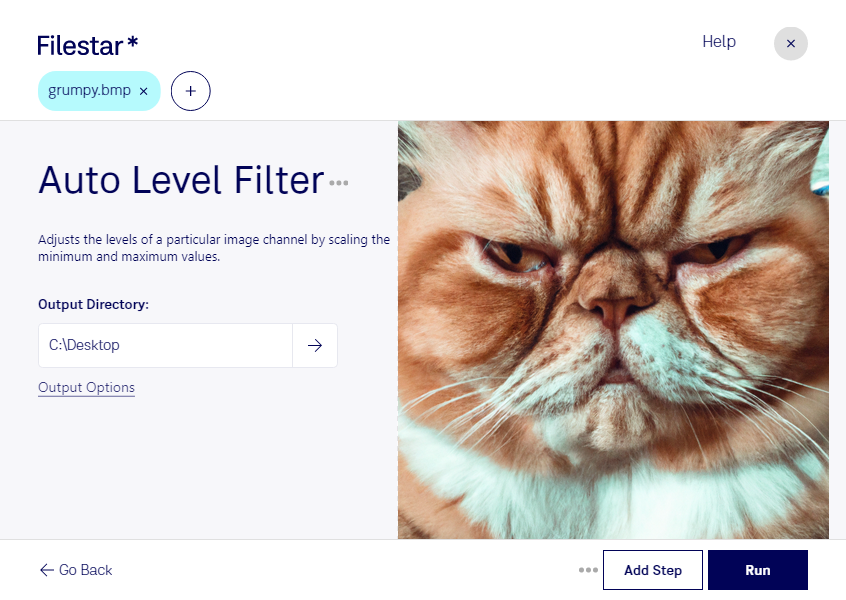
Auto level bmp filter

  1. Download and install the latest version of Filestar.

  2. Right click on one or more Bmp file(s) on your desktop and select Convert with Filestar.

  3. Type auto level filter in the search box.

  4. Press Run.

Or let an AI agent do it: filestarcli -i photo.bmp -c "auto level filter" (how).

auto level bmp filter

Let your AI agent auto level BMP filter

Claude Code, Codex, Cursor and other agents can do this on your computer with Filestar. Your files stay on your machine.

Install Filestar and add it to your agents:

npm install -g filestar
filestarcli agent install

Then ask your agent:

“Use Filestar to auto level BMP filter in my Downloads folder”

Or run it yourself:

filestarcli -i photo.bmp -c "auto level filter"

Runs on your computer, so your files stay on it. Works on Windows, macOS and Linux. 50 free conversions with the npm install, no account needed.

Can my AI agent auto level BMP filter?

Yes. Install the Filestar CLI with npm install -g filestar and your agent can run filestarcli -i photo.bmp -c "auto level filter" on your computer, so your files stay on it.

Using Filestar With AI Agents · Download SKILL.md

What is .bmp?

Extension
.bmp
Format
Binary
Category
Raster Image
Developer
Microsoft
Description
A BMP file is an uncompressed raster image comprised of a rectangular grid of pixels. It contains a file header (bitmap identifier, file size, width, height, color options, and bitmap data starting point) and bitmap pixels, each with a different color.
MIME Type
image/bmp

Auto Level Bmp Filter Today

Get started within minutes

Are you a professional in need of a reliable and efficient solution for processing BMP raster images? Look no further than our auto level BMP filter, available through Filestar's versatile file conversion software.

With the ability to perform bulk and batch operations, our software allows you to quickly and easily convert and process multiple BMP files at once. And with Filestar's compatibility with both Windows and OSX, you can trust that you'll have access to our powerful auto level BMP filter no matter your operating system.

But who might benefit from using our auto level BMP filter? Professionals in industries such as graphic design, photography, and printing can all benefit from the ability to quickly and easily adjust the levels of their BMP images. Whether you need to brighten up a dark photo or bring out the details in a shadowy image, our auto level BMP filter can help you achieve the results you need.

And with Filestar's local processing capabilities, you can trust that your sensitive BMP files will be kept safe and secure on your own computer. No need to worry about sending your files to the cloud for processing - with our software, you can convert and process your BMP files with ease and peace of mind.

So why wait? Try out our auto level BMP filter today and see the difference it can make in your professional image processing workflow. Get in touch with us to learn more about our software and how it can benefit you.