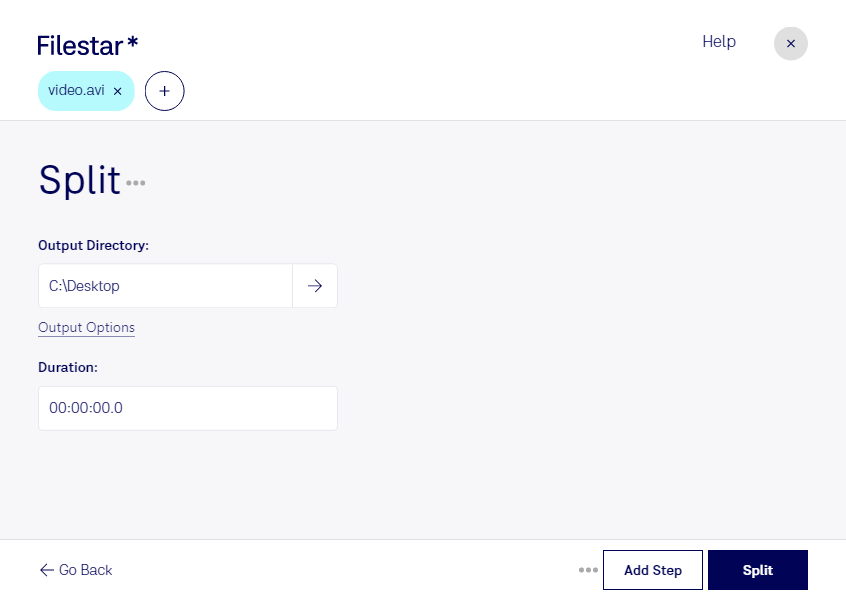
Split avi

  1. Download and install the latest version of Filestar.

  2. Right click on one or more Avi file(s) on your desktop and select Convert with Filestar.

  3. Type split in the search box.

  4. Press Split.

Or let an AI agent do it: filestarcli -i file.avi -c "split" (how).

split avi

Let your AI agent split AVI

Claude Code, Codex, Cursor and other agents can do this on your computer with Filestar. Your files stay on your machine.

Install Filestar and add it to your agents:

npm install -g filestar
filestarcli agent install

Then ask your agent:

“Use Filestar to split AVI in my Downloads folder”

Or run it yourself:

filestarcli -i file.avi -c "split"

Runs on your computer, so your files stay on it. Works on Windows, macOS and Linux. 50 free conversions with the npm install, no account needed.

Can my AI agent split AVI?

Yes. Install the Filestar CLI with npm install -g filestar and your agent can run filestarcli -i file.avi -c "split" on your computer, so your files stay on it.

Using Filestar With AI Agents · Download SKILL.md

What is .avi?

Extension
.avi
Format
Binary
Category
Video
Developer
Microsoft
Description
An AVI file is a file saved in a multimedia container format created by Microsoft. It stores video and audio data that may be encoded in a variety of codecs such as DivX and XviD. AVI files typically use less compression than similar formats such as .MPEG and .MOV.
MIME Type
video/avi

Split Avi Today

Get started within minutes

Are you tired of dealing with large AVI files that take up too much space on your computer? With Filestar, you can easily split your AVI files into smaller, more manageable pieces. Our software allows for bulk operations, so you can process multiple files at once, saving you time and effort.

Filestar runs on both Windows and OSX, so no matter what operating system you're using, you can take advantage of our powerful file conversion and processing capabilities. And because our software runs locally on your computer, you can rest assured that your files are safe and secure.

Splitting AVI files can be especially useful for professionals in the video editing industry, as well as educators who need to share video content with their students. By breaking up large files into smaller, more digestible pieces, you can make it easier to work with and share your video content.

At Filestar, we understand that security is a top priority for our customers. That's why we've designed our software to run locally on your computer, rather than in the cloud. This means that your files never leave your computer, reducing the risk of data breaches and other security issues.

So if you're looking for an easy and safe way to split your AVI files, look no further than Filestar. Our software is powerful, flexible, and designed with your needs in mind. Contact us today to learn more about how we can help you with your file conversion and processing needs.