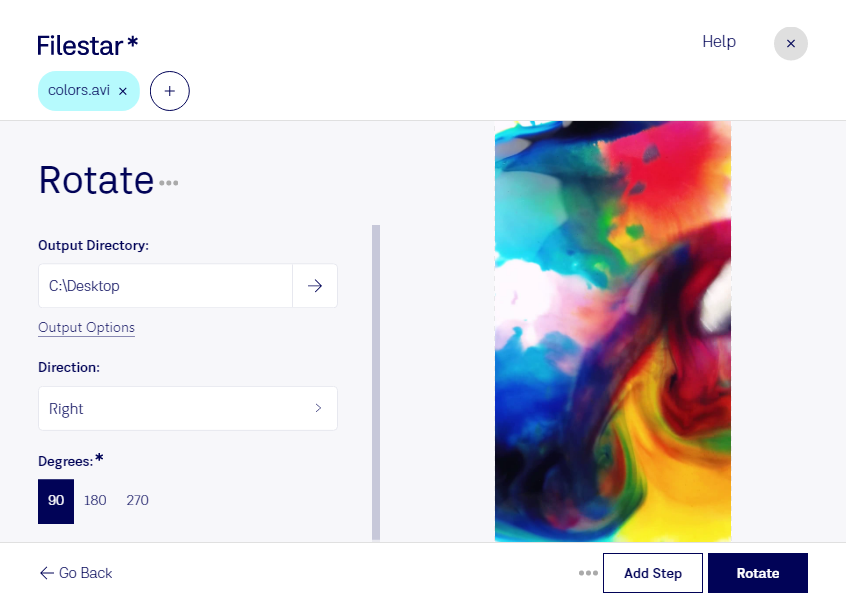
Rotate avi

  1. Download and install the latest version of Filestar.

  2. Right click on one or more Avi file(s) on your desktop and select Convert with Filestar.

  3. Type rotate in the search box.

  4. Press Rotate.

Or let an AI agent do it: filestarcli -i file.avi -c "rotate" (how).

rotate avi

Let your AI agent rotate AVI

Claude Code, Codex, Cursor and other agents can do this on your computer with Filestar. Your files stay on your machine.

Install Filestar and add it to your agents:

npm install -g filestar
filestarcli agent install

Then ask your agent:

“Use Filestar to rotate AVI in my Downloads folder”

Or run it yourself:

filestarcli -i file.avi -c "rotate"

Runs on your computer, so your files stay on it. Works on Windows, macOS and Linux. 50 free conversions with the npm install, no account needed.

Can my AI agent rotate AVI?

Yes. Install the Filestar CLI with npm install -g filestar and your agent can run filestarcli -i file.avi -c "rotate" on your computer, so your files stay on it.

Using Filestar With AI Agents · Download SKILL.md

What is .avi?

Extension
.avi
Format
Binary
Category
Video
Developer
Microsoft
Description
An AVI file is a file saved in a multimedia container format created by Microsoft. It stores video and audio data that may be encoded in a variety of codecs such as DivX and XviD. AVI files typically use less compression than similar formats such as .MPEG and .MOV.
MIME Type
video/avi

Rotate Avi Today

Get started within minutes

Are you a professional looking for a secure way to rotate AVI files? Look no further than Filestar. Our software allows for bulk operations, so you can quickly rotate multiple AVI files at once. Plus, Filestar runs on both Windows and OSX, so no matter what operating system you're using, you can use our software to edit your videos.

But why is rotating AVI files locally on your computer more secure than using an online converter? When you use an online converter, you're sending your files to a third-party server that you have no control over. This means that your files could potentially be intercepted or accessed by unauthorized parties. With Filestar, you don't have to worry about that. Your files stay on your computer throughout the entire conversion process, so you can be sure that they're safe and secure.

Professionals in a variety of industries can benefit from using Filestar to rotate AVI files. For example, if you're a videographer, you may need to rotate AVI files to ensure that they're oriented correctly for your clients. Or, if you work in marketing, you may need to rotate AVI files to create engaging video content for your social media channels. Whatever your profession, Filestar makes it easy to rotate AVI files quickly and securely.

So if you're ready to start rotating AVI files on your computer, download Filestar today. Our software is easy to use and comes with a variety of other file conversion and processing features that you're sure to love.